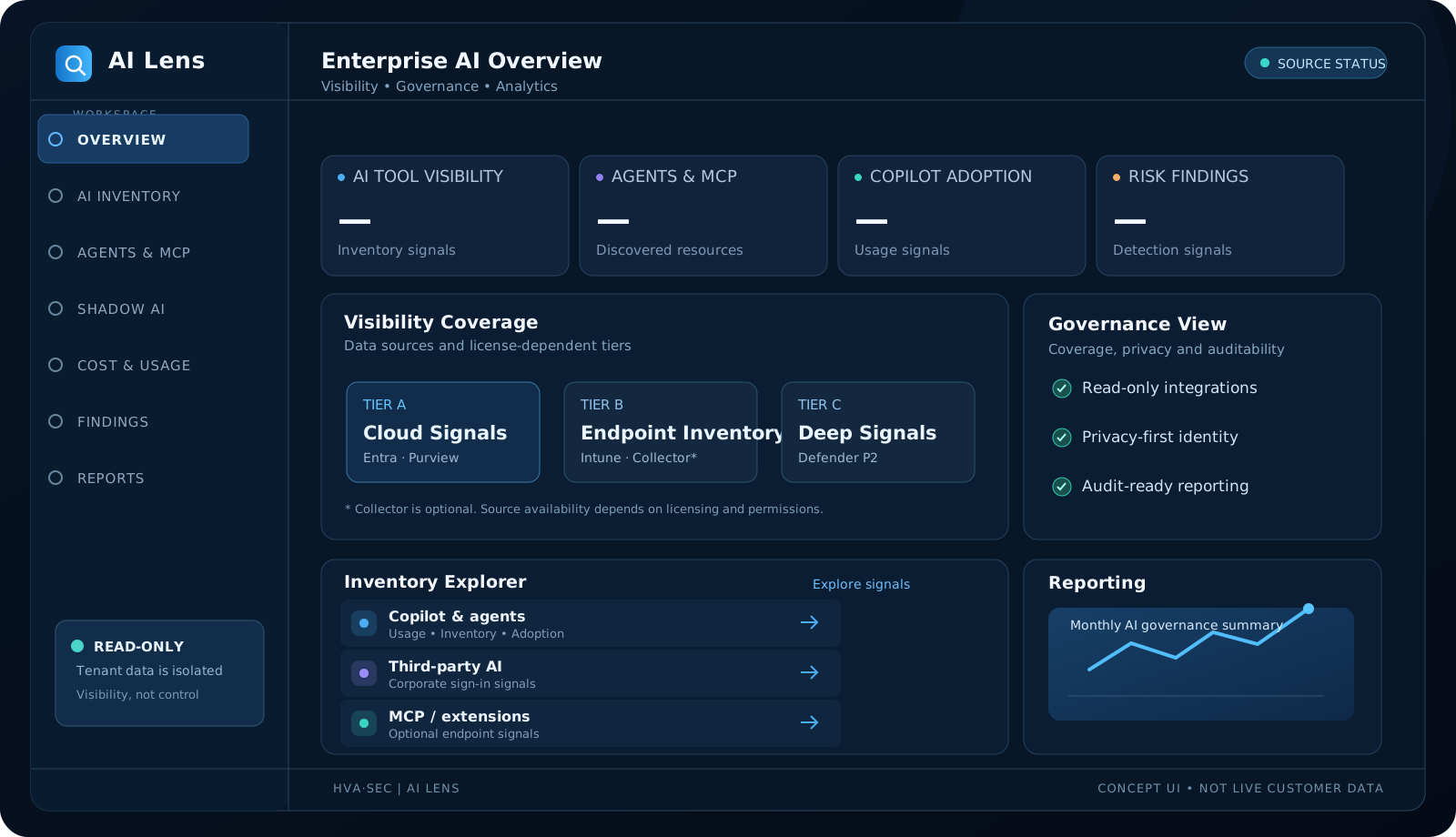
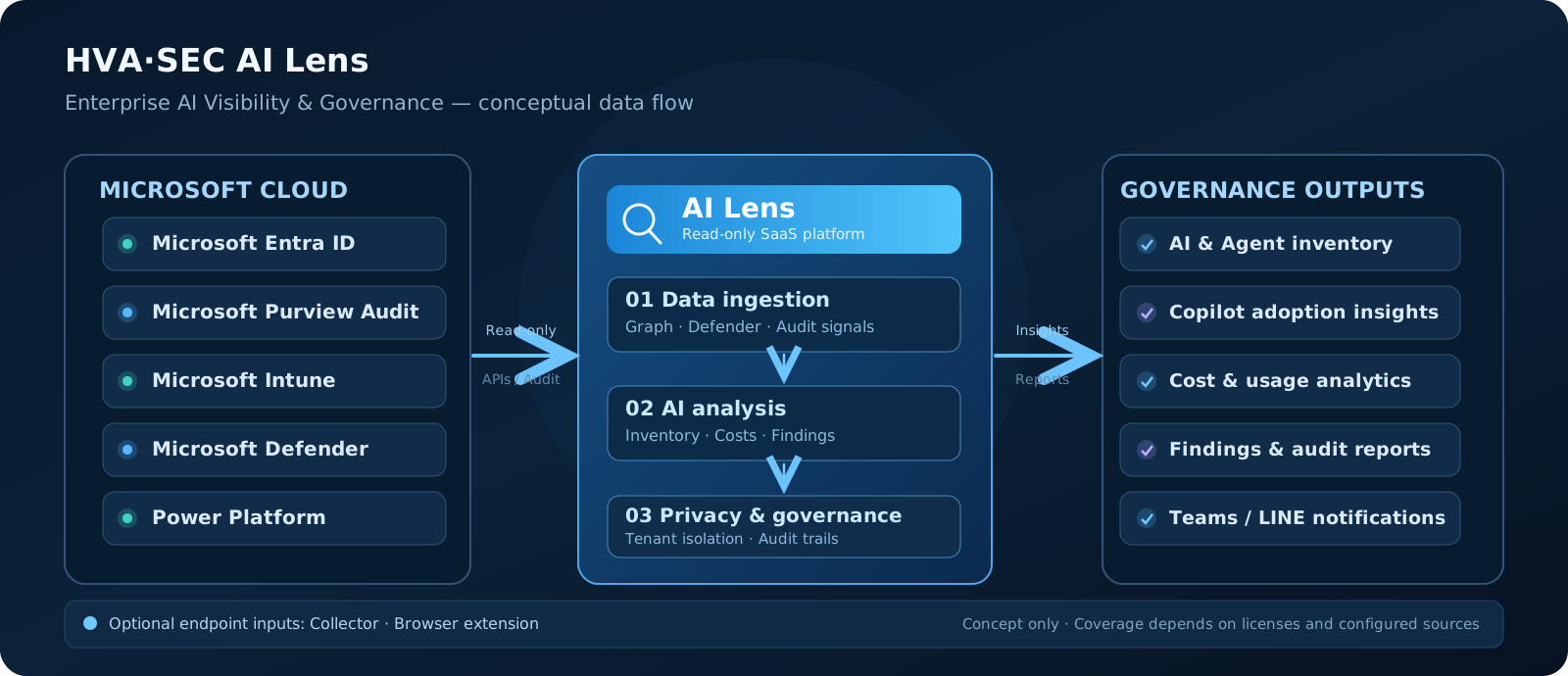
One view across fragmented AI data
Unify available read-only signals from Entra, Purview, Intune, Defender, and Power Platform. Each source reports sync freshness, coverage tier, and missing prerequisites so gaps are not mistaken for zero risk.
- Inventory AI tools, OAuth apps, agents, MCP servers, and extensions
- Departmental usage, unapproved tools, and risk findings
- Visibility readiness and per-source sync status
Agent and MCP inventory
Explore available Copilot Studio, Teams, and SharePoint agent data, including creators, usage, MCP servers, connectors, Power Automate flows, skills, and knowledge sources. Some inventory requires additional licensing or imported data.
- Export auditable agent, user, and component CSV reports
- Flag untrusted MCP hosts and unpinned versions
- No storage of agent instructions, full skill content, or conversations
Shadow AI and Copilot adoption
Analyze third-party AI services signed into with corporate accounts and eligible Copilot license, activity, app, and agent usage data. Entra sign-in logs alone do not reveal all personal-account or anonymous AI activity.
- Copilot licensing, active usage, departmental and app trends
- Compare Copilot and third-party AI use
- Optional browser extension and Defender P2 extend endpoint insights
AI usage, budgets, and alerts
Track Copilot Studio credits and imported Power Platform or ChatGPT Enterprise reporting. Configure custom rates and budgets while distinguishing estimated costs from actual invoices.
- Tenant, environment, and agent-level usage budgets
- LINE, Teams, and webhook budget-threshold notifications
- Alerts inform; they do not automatically disable agents
Findings and governance reporting
Surface high-privilege AI applications, unapproved tools, untrusted MCP hosts, suspected API key exposures, and agent security findings where relevant source signals are available. Deep endpoint detection requires optional components.
- Finding severity, tracking, and rechecks after syncing
- Approved, tolerated, and unapproved classifications without blocking
- Traditional Chinese monthly PDF reports, audit logs, and reference governance mappings
Visibility tiers: A, B, and C
AI Lens distinguishes supported and missing data sources rather than treating every tenant as fully observable. Visibility depends on licensing, permissions, and audit configuration.
- Tier A: E3 or Business Premium plus relevant Copilot services and audit permissions for core cloud AI, Copilot, and agent signals
- Tier B: Add Intune-managed device inventory; optional Collector deepens local MCP, IDE, and API-key risk visibility
- Tier C: Add Defender for Endpoint P2 execution and network telemetry; Agent 365 and browser extensions remain optional
Read-only security. Privacy by default.
Microsoft Graph and Defender integrations use read-only permissions. AI Lens does not block websites, remove agents, isolate devices, or change policies. End-user identities are pseudonymized by default, with approval and audit requirements for re-identification.
- Entra ID sign-in, tenant isolation, and role-based access
- API keys stay on endpoints; only masked fingerprints are reported
- Prompt metadata by default; no agent or Copilot conversation collection
Cloud-first onboarding
Sign in with Entra ID, grant the required read-only admin consent, check tenant readiness, and begin source synchronization. Collector and browser extensions are optional for deeper endpoint visibility.
- Admin consent and license/source readiness checks
- Source freshness, visibility tiers, and practical next steps
- Initial sync timing depends on tenant size and Microsoft data-source availability